
Finding out which software version is installed on your Mr Beam is quick and easy. This information is especially important when contacting support or troubleshooting issues.
Follow the steps below to check your current software and BeamOS version.
1. Open settings
In the top right corner of the interface, click on the three horizontal lines to open the main menu. Then navigate to Settings.
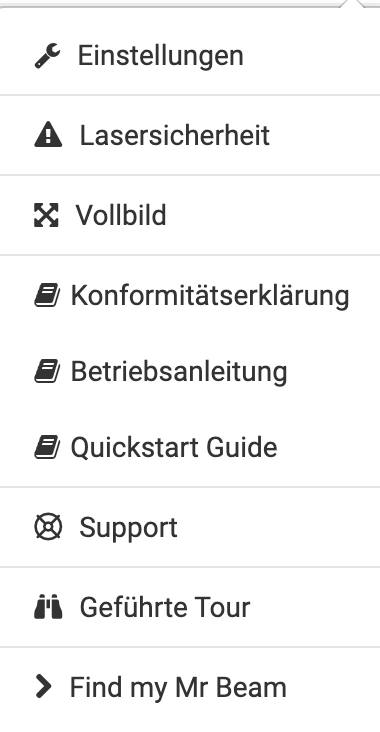
2. Open “About this Mr Beam”
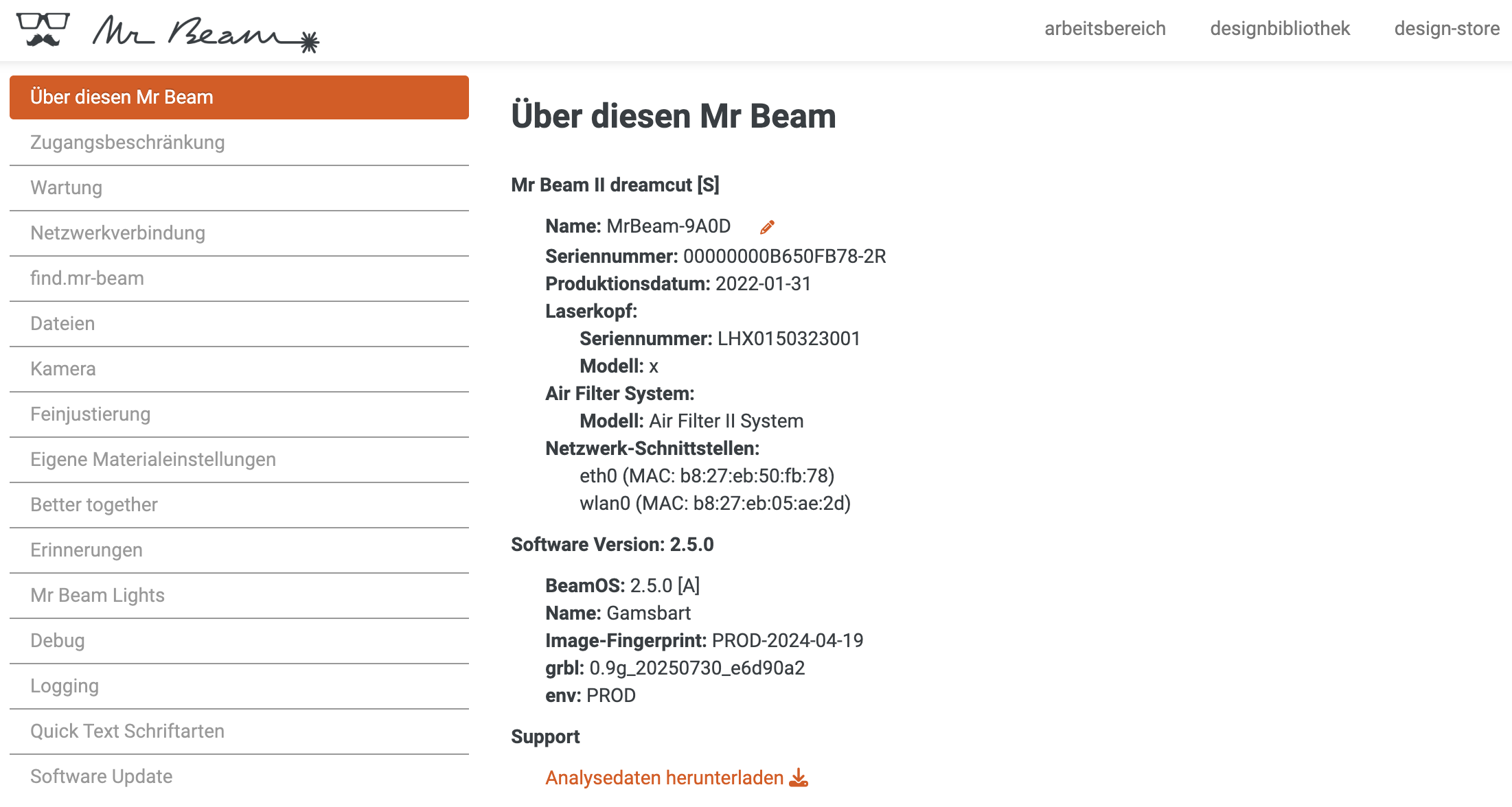
Within the settings, click on About this Mr Beam. This section contains important system information about your device.
3. Check your software version
You will now see details about your installed software. For example:
Software Version: 2.5.0
BeamOS: 2.5.0 [A]
Note: The BeamOS version (e.g. "BeamOS: 2.5.0 [A]") is the relevant version for our support team. Please include this information when creating a support ticket.That's it! You have successfully found your software version and are ready to share it with our support team if needed.
Please also check that you are on the latest software version!